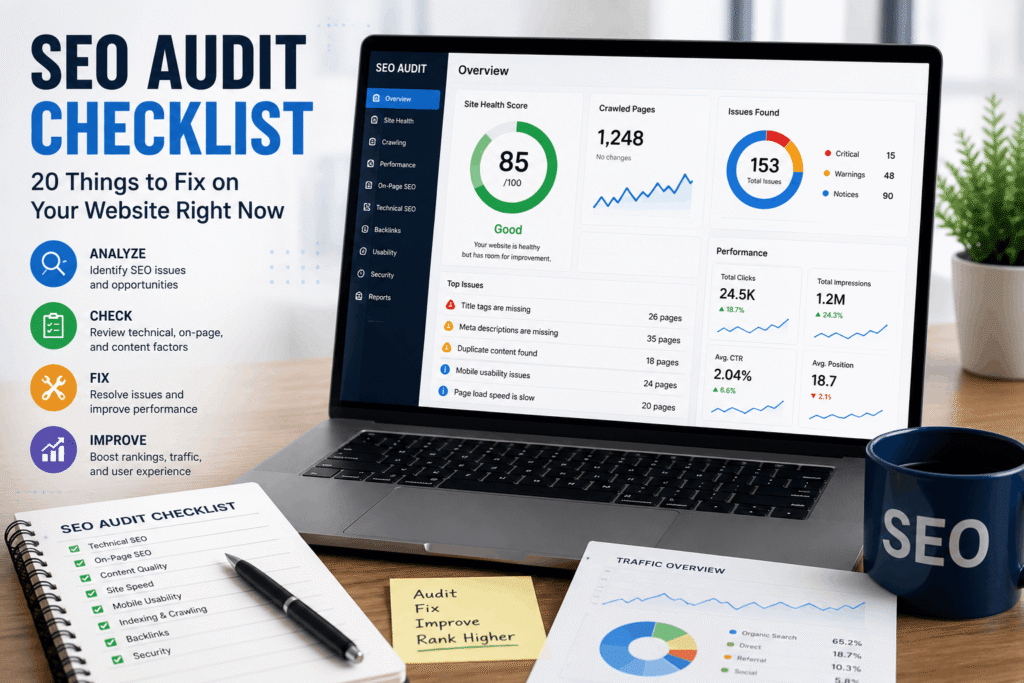
Your website may look great, load your pages correctly, and offer valuable information—but that doesn’t necessarily mean Google can easily understand, crawl, or rank it.
This is where an SEO audit becomes important.
An SEO audit is like a health check-up for your website. It helps you identify technical problems, content gaps, poor user experience, and optimization issues that may be stopping your website from performing well in search engine results.
The good news is that you don’t always need to completely redesign your website to improve its SEO performance. Sometimes, fixing a few important issues can make a noticeable difference.
In this guide, we’ll walk through a practical SEO audit checklist covering 20 important things you should check and fix on your website right now.
Let’s get started.
What Is an SEO Audit?
An SEO audit is the process of analyzing a website to identify problems that could negatively affect its visibility in search engines.
A complete audit usually looks at several areas, including:
- Technical SEO
- On-page SEO
- Website content
- Site structure
- Mobile experience
- Page speed
- Internal linking
- Backlinks
- User experience
The goal is simple: make it easier for search engines to crawl and understand your website while providing a better experience for your visitors.
SEO Audit Checklist: 20 Things You Should Fix
1. Make Sure Your Website Is Indexed by Google
Before worrying about rankings, make sure Google can actually find and index your website.
You can perform a basic check by searching:
site:yourwebsite.com
Replace “yourwebsite.com” with your actual domain.
If your important pages appear in the results, they are likely indexed.
However, this method isn’t perfect. For a more accurate overview, check Google Search Console to see which pages Google has indexed and which pages have indexing problems.
What to check:
- Are important pages indexed?
- Are valuable pages accidentally excluded?
- Are there unexpected pages appearing in Google?
- Are there indexing errors?
If important pages aren’t indexed, investigate the reason before focusing on other SEO improvements.
2. Check Your Website's Mobile-Friendliness
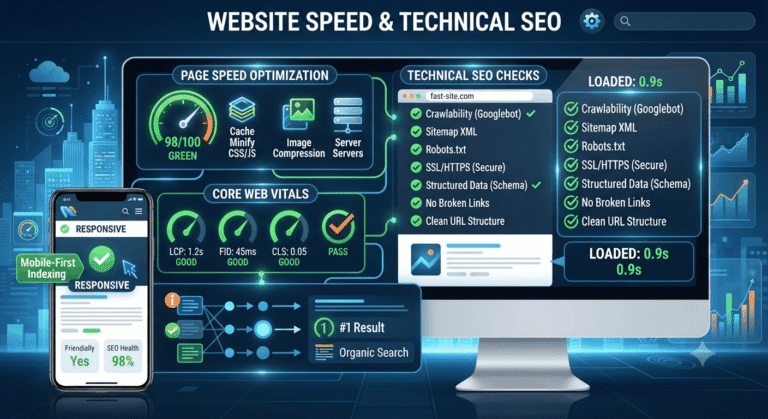
A large percentage of website visitors browse using smartphones. If your website is difficult to use on a mobile device, you may lose both visitors and potential customers.
Your website should automatically adapt to different screen sizes.
Check whether:
- Text is easy to read
- Buttons are large enough to tap
- Images fit the screen
- Navigation works properly
- Users don’t need to zoom in or scroll horizontally
A responsive website isn’t just good for SEO—it’s essential for providing a positive user experience.
3. Improve Your Page Loading Speed
Nobody likes waiting for a slow website.
If your pages take too long to load, visitors may leave before they even see your content.
Start by checking your website’s performance and look for opportunities to improve loading speed.
Common improvements include:
- Compressing large images
- Using modern image formats
- Reducing unnecessary plugins
- Minifying CSS and JavaScript
- Improving server response time
- Using browser caching
- Removing unnecessary website elements
Remember, the goal isn’t simply to chase a perfect speed score. Focus on creating a fast, smooth experience for real users.
4. Fix Broken Links
Broken links can create a frustrating experience for visitors and make your website appear poorly maintained.
A broken link usually leads to a page that no longer exists or returns an error such as a 404 Not Found.
During your audit, check both:
- Internal links
- External links
If you find a broken internal link, update it with the correct URL or remove it.
If an old page has been permanently replaced by another relevant page, consider using an appropriate 301 redirect.
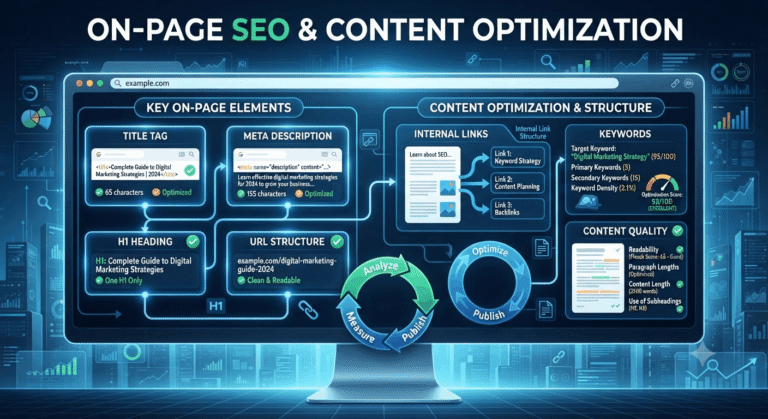
5. Create SEO-Friendly Page Titles
Your page title is one of the first things users see in search results.
A good title should clearly explain what the page is about and encourage users to click.
Poor example:
Home | ABC Company
Better example:
Digital Marketing Agency in Mumbai | ABC Digital
A strong title should be:
- Relevant to the page
- Unique
- Clear and descriptive
- Naturally optimized for the target keyword
- Appealing to the searcher
Avoid stuffing multiple keywords into your title. Write for humans first.
6. Optimize Your Meta Descriptions
A meta description provides a short summary of your page and can influence whether someone clicks your result.
Although meta descriptions aren’t a direct ranking factor, a compelling description can help improve organic click-through rates.
A good meta description should:
- Summarize the page accurately
- Include the primary keyword naturally
- Explain the benefit to the reader
- Encourage the user to take action
For example:
Looking for a practical SEO audit checklist? Discover 20 essential SEO issues to check and fix to improve your website’s visibility, performance, and user experience.
Keep it natural and avoid keyword stuffing.
7. Use One Clear H1 Heading
Your main page heading should clearly communicate the topic of the page.
For example:
SEO Audit Checklist: 20 Things to Fix on Your Website
This can be your H1.
Then use H2 and H3 headings to organize the rest of your content.
A logical structure makes your content easier for both users and search engines to understand.
8. Improve Your Website's URL Structure
A clean URL can help users understand what a page is about before clicking it.
Poor URL:
website.com/page?id=12345
Better URL:
website.com/seo-audit-checklist/
Keep URLs:
- Short
- Descriptive
- Easy to read
- Relevant to the page
- Consistent
Avoid adding unnecessary numbers, symbols, or long strings of words.
Internal links connect one page on your website to another.
They help visitors discover related content and help search engines understand the relationship between pages on your website.
For example, if you’re writing about SEO audits, you could internally link to relevant articles about:
- Keyword research
- Technical SEO
- On-page SEO
- Link building
- Local SEO
Use descriptive anchor text that tells the reader what they can expect after clicking.
Instead of: Click here
Try: Learn more about technical SEO
10. Check Your Content Quality
One of the most important parts of an SEO audit is reviewing your content.
Ask yourself:
Does this page genuinely help the person searching for this topic?
Good content should:
- Answer the user’s question
- Provide useful information
- Be easy to understand
- Offer original insights
- Be accurate and up to date
- Match the user’s search intent
Don’t create content simply to increase the number of pages on your website.
One excellent article can be more valuable than ten low-quality articles.
11. Identify and Remove Duplicate Content
Duplicate content occurs when substantially similar content appears on multiple URLs.
This can make it difficult for search engines to determine which version should be prioritized.
During an audit, look for:
- Duplicate page content
- Similar product pages
- Multiple URL versions
- Printer-friendly pages
- HTTP and HTTPS versions
- WWW and non-WWW versions
Depending on the situation, you may need to use canonical tags, redirects, or other technical solutions.
12. Optimize Images
Images can improve your content, but large and poorly optimized images can slow down your website.
Before uploading images, consider:
- Compressing them
- Choosing the appropriate file format
- Using descriptive file names
- Adding useful alt text
- Serving appropriately sized images
For example, instead of: IMG12345.jpg
Use: seo-audit-checklist.jpg
Alt text should describe the image accurately and naturally. Don’t use alt text as a place to stuff keywords.
13. Fix Missing or Incorrect Canonical Tags
A canonical tag helps search engines understand which version of a page should be treated as the preferred version when multiple similar URLs exist.
This is especially important for larger websites, e-commerce stores, and websites that generate multiple URL variations.
Check that:
- Important pages have the correct canonical URL
- Canonical tags don’t point to unrelated pages
- Pages aren’t accidentally canonicalized to the wrong URL
Incorrect canonical implementation can cause important pages to be overlooked in search results.
14. Create and Optimize Your XML Sitemap
An XML sitemap helps search engines discover important URLs on your website.
Make sure your sitemap:
- Contains important indexable pages
- Doesn’t include unnecessary URLs
- Doesn’t contain broken URLs
- Is updated when important pages are added or removed
After creating your sitemap, submit it through Google Search Console.
Remember that a sitemap doesn’t guarantee indexing, but it can help search engines discover your important pages more efficiently.
15. Check Your Robots.txt File
The robots.txt file provides instructions to search engine crawlers about which areas of your website they should or shouldn’t crawl.
A common mistake is accidentally blocking important sections of a website.
During your audit, check whether your robots.txt file is preventing crawlers from accessing valuable pages or resources.
Be particularly careful when making changes. A small technical mistake can sometimes prevent search engines from crawling important parts of your site.
16. Secure Your Website With HTTPS
HTTPS protects the connection between your website and its visitors.
If your website still uses HTTP instead of HTTPS, it’s time to address it.
Check that:
- Your SSL certificate is active
- HTTP versions redirect to HTTPS
- Internal links use HTTPS
- Images and scripts aren’t loading insecurely
- There aren’t multiple versions of your website accessible
A secure website also builds trust with visitors.
17. Improve Your Core Web Vitals
Core Web Vitals are metrics used to evaluate important aspects of page experience, including loading performance, responsiveness, and visual stability.
Pay attention to:
- Largest Contentful Paint (LCP)
- Interaction to Next Paint (INP)
- Cumulative Layout Shift (CLS)
If your website performs poorly, investigate the underlying causes rather than simply trying to improve the scores.
For example, slow server response, heavy JavaScript, large images, and layout shifts can all contribute to poor performance.
18. Analyze Your Backlink Profile
Backlinks are links from other websites pointing to your website.
Not all backlinks are equally valuable.
During your SEO audit, review your backlink profile and look for:
- High-quality referring domains
- Relevant industry websites
- Suspicious or unnatural links
- Lost valuable backlinks
- Opportunities for earning new links
Focus on building genuine relationships and creating content that people naturally want to reference.
Don’t chase hundreds of low-quality backlinks simply for the sake of increasing your link count.
19. Improve Your Website's E-E-A-T Signals
Google’s quality systems place importance on signals related to Experience, Expertise, Authoritativeness, and Trustworthiness (E-E-A-T).
While E-E-A-T isn’t a single ranking factor with a simple score, it is a useful framework for improving content quality and credibility.
Consider adding:
- Clear author information
- About Us page
- Contact information
- Professional credentials
- Reliable sources
- Original experience and insights
- Updated content
- Customer reviews where appropriate
The more your website demonstrates genuine knowledge and trust, the stronger your content can become.
20. Track Your SEO Performance
An SEO audit isn’t a one-time activity.
After fixing issues, you need to monitor the results.
Track important metrics such as:
- Organic traffic
- Keyword rankings
- Organic clicks
- Impressions
- Click-through rate
- Conversions
- Indexed pages
- Backlinks
- Technical errors
Tools such as Google Search Console and Google Analytics can help you understand how your website is performing.
The goal is to create a continuous cycle:
Audit → Fix → Measure → Improve → Repeat
Bonus: Quick SEO Audit Checklist
Here’s a quick summary you can use when auditing your website:
☐ Website is indexed by Google
☐ Website works well on mobile
☐ Pages load quickly
☐ Broken links are fixed
☐ Page titles are optimized
☐ Meta descriptions are written properly
☐ Pages have clear H1 headings
☐ URLs are clean and descriptive
☐ Internal linking is optimized
☐ Content satisfies search intent
☐ Duplicate content is managed
☐ Images are optimized
☐ Canonical tags are correct
☐ XML sitemap is working
☐ Robots.txt is properly configured
☐ Website uses HTTPS
☐ Core Web Vitals are monitored
☐ Backlink profile is reviewed
☐ E-E-A-T signals are strengthened
☐ SEO performance is tracked
Final Thoughts
A successful SEO strategy isn’t built by fixing one problem and forgetting about it. SEO is an ongoing process that requires regular monitoring, testing, and improvement.
By working through this 20-point SEO audit checklist, you can identify many of the common issues that may be limiting your website’s search visibility and user experience.
Start with the problems that have the biggest potential impact. Fix critical technical issues first, then improve your on-page optimization, content quality, internal linking, and overall user experience.
Most importantly, remember that SEO isn’t just about ranking higher on Google. It’s about helping the right people find your website and giving them a reason to stay, trust your business, and take action.
A well-optimized website should work for both search engines and real people.