If you run a small business, you likely wear a dozen hats before lunch. Between managing daily operations, fielding customer service inquiries, closing sales, and keeping an eye on cash flow, marketing often gets relegated to a late-night scramble. You find yourself manually scheduling social media posts, copying and pasting email newsletters, and frantically chasing down leads hours—or days—after they fill out a contact form on your website.
It is exhausting, inefficient, and worst of all, it leaks revenue.
Enter marketing automation. For years, small business owners assumed automation tools were reserved for enterprise corporations with massive budgets and dedicated tech teams. Today, that is a myth. Modern automation tools are affordable, intuitive, and designed specifically to act as a tireless digital employee for lean teams.
This comprehensive guide breaks down how marketing automation works, why it is essential for small businesses, and—most importantly—where you should start without burning out or breaking the bank.
1. What Is Marketing Automation (And What It Isn’t)
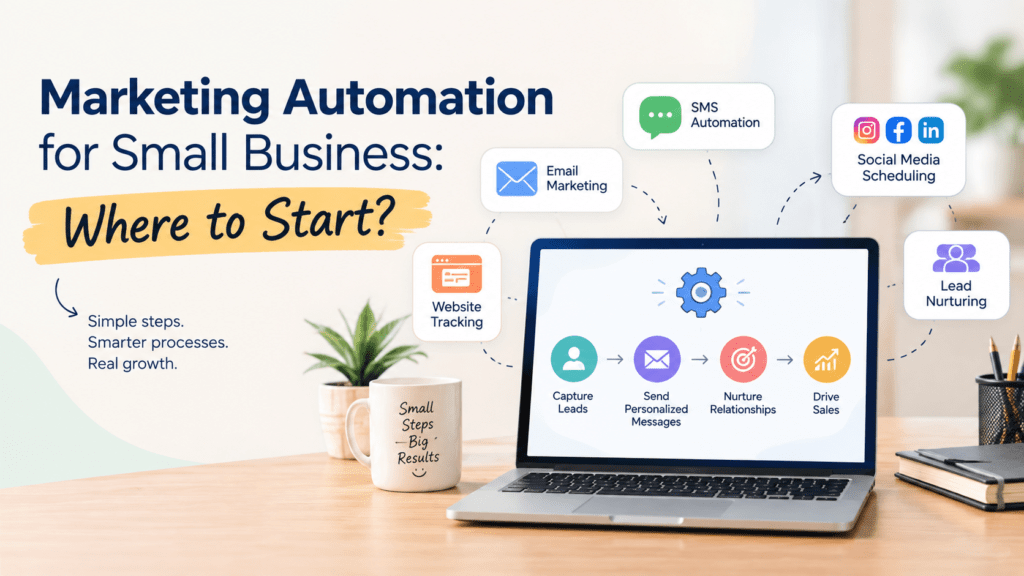
At its core, marketing automation is the use of software and technology to handle repetitive marketing and sales tasks.
Instead of manually hitting “send” on an email blast, or remembering to message a prospect three days after they downloaded a pricing guide, automation uses triggers and logic.
If a user fills out a contact form, then send them a welcome packet immediately.
If a customer abandons their online shopping cart, then trigger a reminder email 2 hours later.
What it isn't:
Marketing automation is not “set-it-and-forget-it” spam machine gun. It does not replace human empathy, brand voice, or creative strategy. Instead, it handles the mechanical heavy lifting so you can spend your time building genuine relationships with high-intent customers.
2. Why Small Businesses Can No Longer Ignore Automation
Running a manual marketing operation creates invisible ceilings on your growth. Here is why transitioning to an automated workflow changes the game:
Response Speed Wins Deals: Studies consistently show that the odds of qualifying a lead drop dramatically if you don’t respond within minutes. Automation ensures your business replies instantly, 24/7, even while you sleep.
Consistency Builds Trust: Customers notice when communication is scattered. A missed follow-up here, a forgotten invoice reminder there—these friction points erode trust. Automation guarantees every single customer gets the exact same high-touch experience.
Reclaim Hours of Your Week: Small business owners spend up to 20 to 30 hours a week on administrative and manual marketing tasks. Automation cuts that down drastically, redirecting your energy toward product development and closing deals.
3. The Biggest Trap: Where Most Beginners Fail
Before looking at tools or building complex funnels, you must understand why most small business automation initiatives fail: Trying to automate everything at once.
Business owners often buy a powerful platform, try to build a 15-step complex customer journey with branching logic on day one, get overwhelmed, abandon the project, and declare that “automation doesn’t work for my business.”
The Golden Rule of Starting: Start small, prove the concept, and layer complexity over time. You don’t need a complex multi-channel matrix; you just need to fix your biggest operational bottleneck.
4. Phase 1: Where to Start (The Foundation)
If you are starting from scratch, focus on three high-impact, low-complexity automation workflows. These three will cover 80% of your immediate pain points.
+-----------------------------------------------------------------+
|                       PHASE 1 FOUNDATION                        |
|                                                                 |
|  1. The Instant Welcome & Lead Nurture Sequence                 |
|  2. The Abandoned Cart / Incomplete Inquiry Recovery            |
|  3. Post-Purchase / Onboarding Automation                       |
+-----------------------------------------------------------------+
A. The Instant Welcome & Lead Nurture Sequence
The Problem: Someone signs up for your newsletter or downloads a lead magnet on your site, and then crickets. They forget who you are by tomorrow.
The Automated Fix: Create a 3-part email sequence triggered immediately upon sign-up.
Email 1 (Immediate): Deliver the promised resource, introduce your brand, and set expectations.
Email 2 (2 Days Later): Share your most popular piece of educational content or case study.
Email 3 (4 Days Later): Present a soft call-to-action (e.g., book a call, view a core product, or claim a first-time buyer discount).
B. The Abandoned Cart / Incomplete Inquiry Recovery
The Problem: Visitors show intense interest—adding an item to a cart or filling out 80% of a consultation form—and then drop off.
The Automated Fix: Set up a trigger based on cart abandonment or a partial form submission. If the user doesn’t complete the action within 1 to 2 hours, fire a friendly, helpful nudge: “Did you run into any trouble? Here is a quick link to finish your order, or let us know if you have questions.
C. Post-Purchase or Onboarding Automation
The Problem: The sale happens, you deliver the product or service, and you never hear from the customer again—missing out on reviews, referrals, and repeat business.
The Automated Fix: Trigger a workflow the moment a transaction closes.
Send an immediate receipt and onboarding guide.
Follow up 7 days later asking how they are enjoying the product.
Trigger an automated review or referral request 14 to 30 days later once they’ve had time to experience value.
5. Choosing Your First Marketing Automation Tool
You do not need an enterprise-grade suite. You need a platform that matches your technical comfort zone and budget. Look for intuitive visual workflow builders, pre-built templates, and reliable deliverability.
Tool Category Best For Popular Options Key Benefit All-in-One / CRM Growing teams wanting marketing + sales tracking HubSpot Marketing Hub, ActiveCampaign Deep behavioral tracking and visual pipeline management. Email & Lifecycle E-commerce and direct-to-consumer brands Klaviyo, Omnisend Exceptional native integrations with Shopify/WooCommerce. Simple & Budget-Friendly Beginners wanting quick email campaigns Mailchimp, Brevo (formerly Sendinblue) Gentle learning curve, generous free tiers, clean templates.
6. Phase 2: Expanding Your Automation Ecosystem
Once your foundational email and lead-capture workflows are running smoothly and saving you time, you can expand into secondary channels.
Social Media & Chat Automation: Use tools like ManyChat or Buffer to automatically reply to direct messages (DMs) with a link when users comment a specific keyword on your Instagram or Facebook posts. Deploy basic website chat widgets (like Tidio or Intercom) to answer FAQs outside of business hours.
Lead Scoring & Tagging: Automatically assign points to leads based on how they interact with your digital footprint (e.g., visiting your pricing page gives +10 points). When a lead hits a threshold, notify your sales team to call them immediately.
Task Management Sync: Tie your marketing automation tool to your operations software (via Zapier or native integrations) so that a form submission automatically creates a client folder in Google Drive, updates your project management board, and logs a task in your calendar.
7. Best Practices for Sustainable Success
To ensure your automation efforts feel human and convert well, keep these rules in mind:
Always Test Before Launching: Send test emails to yourself and your team. Check every link, test every form trigger, and verify that personalization tags (like
*|FNAME|*) pull the correct data.Keep Data Clean: Regularly purge invalid email addresses, unsubscribes, and dead leads. High bounce rates ruin your domain reputation.
Audit Annually: Review your automated workflows at least once a year. Offers change, pricing shifts, and links break. Ensure your “set-and-forget” systems aren’t running outdated promotions.
Maintain the Human Touch: Automation should handle the repetitive steps so you can spend more quality time on high-value human interactions—like custom proposals, strategy calls, and customer care.
Summary Checklist: Your Next Steps This Week
[ ] Audit your current workflow: Identify the single task that wastes the most of your time each week (e.g., manual email replies or chasing leads).
[ ] Pick your tool: Choose an entry-level platform that fits your budget and technical level.
[ ] Build your first sequence: Set up a simple 3-part welcome or lead-nurture email sequence.
[ ] Test and turn it on: Run a test submission, verify the delivery, and let your new digital employee go to work.
What specific part of your marketing process takes up the most time right now, and how are you hoping automation can help?