How to Get the Best Results from ChatGPT: A Masterclass in Prompting
Ever typed a question into ChatGPT, only to receive a generic, robotic wall of text that completely missed the mark? You aren’t alone. Many people treat artificial intelligence like a traditional search engine, tossing in a quick keyword phrase and expecting a masterpiece on the first try.
The secret to unlocking ChatGPT’s true potential lies in how you communicate with it. AI is an exceptionally bright digital assistant—it just needs clear direction, context, and structure.
Whether you want to draft marketing copy, brainstorm creative projects, or code a website, here is your blueprint for getting the absolute best results from ChatGPT every single time.
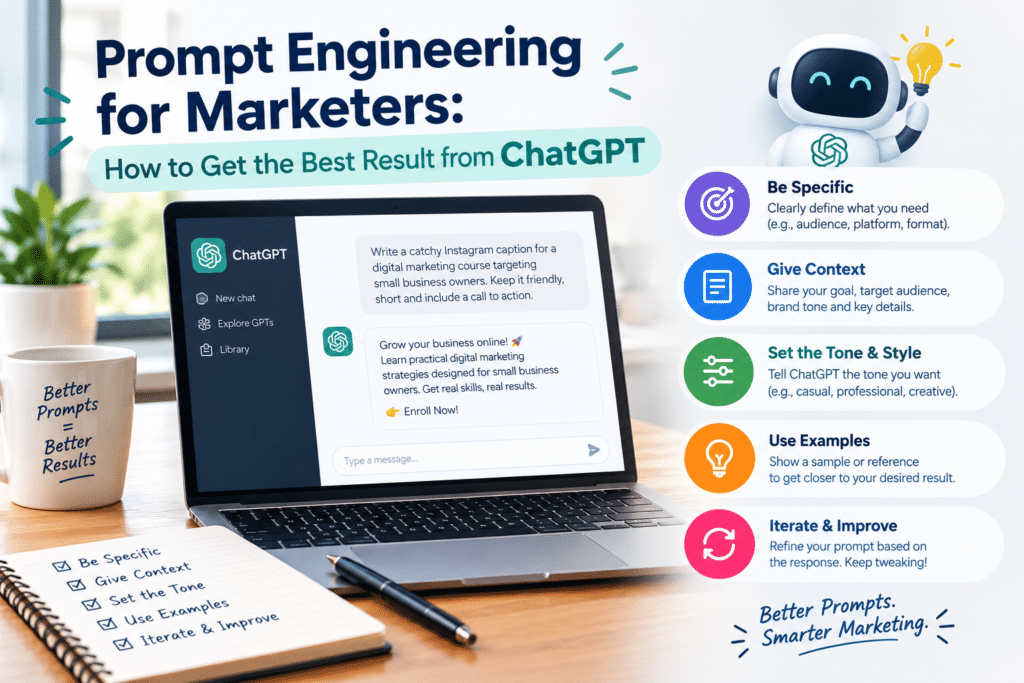
1. Ditch Vague Prompts and Provide Rich Context
The golden rule of working with AI is simple: garbage in, garbage out. If your prompt is vague, ChatGPT has to guess your intentions, usually resulting in safe, bland answers.
Instead of throwing a broad request at the model, paint a complete picture. Give it background information: Who is your target audience? What is the main objective? What problem are you trying to solve?
Weak Prompt: “Write an email about our new product.”
Powerful Prompt: “I am launching a new line of organic, eco-friendly coffee beans targeted at busy remote workers. Write a launch email that feels warm, conversational, and energetic, encouraging them to try our morning blend.”
2. Assign a Persona or Expert Role
One of the most powerful features of modern language models is role-playing. By telling ChatGPT who it is supposed to be, you instantly shift its vocabulary, tone, and depth of analysis to match that industry standard.
Try starting your prompt with instructions like:
“Act as an expert digital marketing consultant with 10 years of experience in performance advertising.”
“You are a strict, detail-oriented senior software engineer reviewing my code for optimization errors.”
“Act as a witty copywriter who specializes in punchy social media hooks.”
When the AI adopts a persona, its output becomes significantly more focused and professional.
3. Specify Format, Length, and Tone
Never leave formatting to chance. If you don’t tell ChatGPT how you want the output structured, it will default to standard paragraphs. Save yourself formatting headaches by explicitly stating your requirements upfront.
Format: Ask for bullet points, a numbered list, a comparison table, HTML code blocks, or a step-by-step tutorial.
Length: Give boundaries, such as “Keep the response under 200 words” or “Write a detailed 5-step breakdown.”
Tone: Define the voice—whether it should be formal, playful, authoritative, empathetic, or casual
4. Break Big Tasks into Iterative Steps
If you ask ChatGPT to write an entire 2,000-word blog post, a comprehensive business plan, or a multi-page website layout in a single prompt, the quality will inevitably drop, or the response will cut off mid-sentence.
Treat the interaction like a collaborative conversation rather than a one-shot command:
Step 1: Ask for an outline or a list of core subtopics.
Step 2: Review and refine the outline, approving what you like.
Step 3: Prompt the AI to write one section at a time.
Step 4: Ask it to review, edit, or adjust the tone of specific sections.
5. Use Few-Shot Prompting (Provide Examples)
If you have a very specific writing style, brand voice, or formatting standard, show, don’t just tell. This technique—known as few-shot prompting—involves providing an example of what a good output looks like right inside your prompt.
Example Prompt: “I want you to write product descriptions for my online store. Match the tone, length, and formatting of this example: [Insert your sample text here]. Now, write a description for our new leather wallet using that exact style.”
6. Treat ChatGPT as a Draft Machine, Not the Final Authority
AI is an incredible co-pilot for accelerating productivity, crushing writer’s block, and generating structural frameworks. However, it is not infallible.
Always review outputs for factual accuracy, logic gaps, and brand alignment. Use ChatGPT to handle 80% of the heavy lifting—the outlining, drafting, and ideation—and apply your own human expertise for the final 20% polish
Final Thoughts
Getting great results from ChatGPT isn’t about finding a magic “cheat code”—it is about clear communication. By adding context, defining a persona, specifying formatting, and building a conversational workflow, you will turn ChatGPT from a basic chatbot into a powerhouse asset for your daily productivity.
What is your favorite prompting trick to get the best out of AI? Let us know in the comments below!