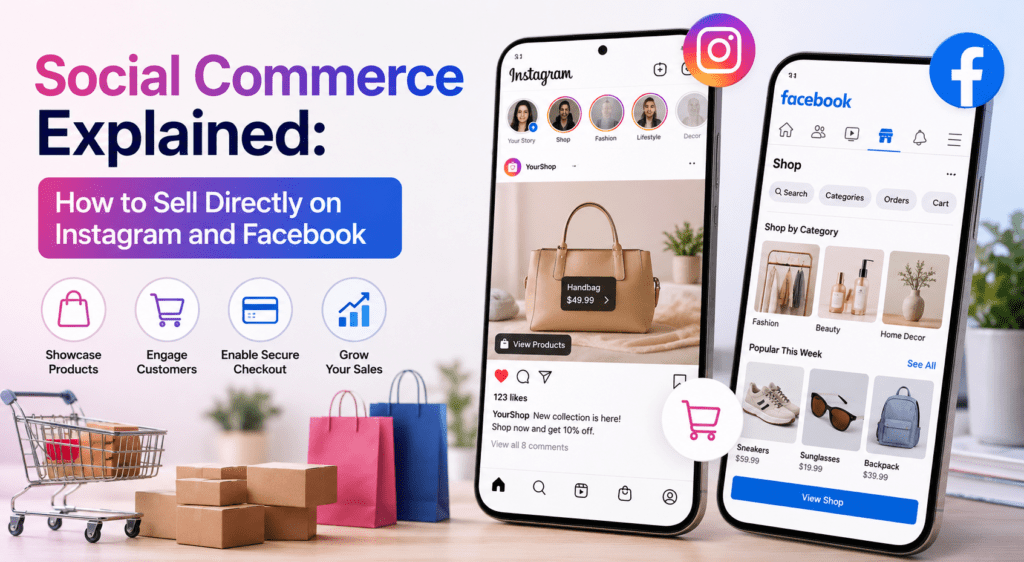
Social commerce is transforming modern digital retail by turning online social feeds into frictionless, full-funnel storefronts where users can discover, browse, and purchase products without ever leaving their favorite apps. Rather than using social platforms merely to drive traffic to an external website, businesses can leverage Meta’s unified ecosystem to sell directly through Instagram and Facebook. Setting up storefronts via Meta Commerce Manager allows brands to sync product catalogs, enabling interactive Shoppable Tags across visual feeds, Stories, and high-reach Reels. By combining immersive visual content with direct in-app checkout options and direct messaging support, brands effectively eliminate classic checkout friction and tap into impulse-driven, discovery-based shopping behavior. Ultimately, mastering social commerce on Instagram and Facebook allows businesses to convert everyday audience engagement into real-time revenue, making it an essential sales strategy for any modern e-commerce brand.
That is the modern shopping journey in three simple steps. E-commerce is no longer just about optimizing your website for Google search or running standard display ads. Today, the most effective shopping cart is the one sitting right inside your customer’s pocket—their social feed.
This shift is driven by social commerce: the practice of selling products directly through social media platforms without forcing users to leave the app to complete a transaction.
If you are looking to tap into Meta’s massive user network, here is a complete breakdown of social commerce and how to start selling directly on Instagram and Facebook.
E-Commerce vs. Social Commerce: What's the Difference?
While traditional e-commerce uses social media to drive traffic to a website, social commerce transforms the social platform itself into the storefront.
| Feature | Traditional E-Commerce | Social Commerce |
| Primary Location | Brand website or standalone store | Directly inside the social app |
| Customer Journey | Feed $\rightarrow$ Click link $\rightarrow$ External site $\rightarrow$ Checkout | Feed $\rightarrow$ Tap tag $\rightarrow$ In-app checkout |
| Friction Level | High (multiple redirects, account sign-ups) | Low (pre-saved payment details, native checkout) |
| Discovery Channel | Search engines, traditional ads, organic traffic | Visual feeds, Reels, creator content, recommendations |
Step-by-Step: Setting Up Shops on Instagram & Facebook
Meta operates a unified commerce ecosystem, meaning setting up a storefront on Facebook and Instagram uses the same central backend.
Ensure your business sells eligible physical goods (digital products and services have stricter platform rules). Switch your accounts to a Facebook Business Page and an Instagram Professional Account.
Go to Meta Commerce Manager on your desktop. This tool acts as the central control panel for setting up storefronts, tracking sales, and managing inventory across both platforms.
You can build your catalog in two ways:
Direct Integration: Sync automatically via e-commerce partners like Shopify, WooCommerce, or BigCommerce.
Manual / CSV Upload: Add items, titles, descriptions, pricing, and high-res imagery manually inside Commerce Manager.
Submit your shop for account review. Meta typically takes anywhere from a few hours to a couple of days to review and approve storefronts.
Once approved, link your catalog inside your Instagram profile settings under Business > Shopping. Your profile will now feature a custom “View Shop” button, and product tagging options will unlock across your content.
Top Formats for Driving In-App Sales
Once your store is live, simply posting product photos isn’t enough. To drive conversions, leverage these content formats:
1. Shoppable Instagram Reels & Facebook Short Videos
Reels drive the highest organic reach across Meta platforms. When you feature a product in a video, add a Product Tag directly to the Reel. Viewers can tap the shopping bag icon at the bottom of the video, view pricing details, and purchase without stopping the video playback.
2. Shoppable Stories & Sticker Prompts
Instagram Stories provide prime real estate for flash sales and limited drops. Use the Product Sticker to link items directly in your 15-second clips. Add countdown stickers alongside product tags to create urgency.
3. User-Generated Content (UGC) with Product Tags
Customers trust real people over brand studio photos. Encourage buyers to tag your account in their photos and Reels. When you repost user-generated content, add shoppable tags to those items so prospective buyers can purchase the exact look or setup shown.
4. Facebook Marketplace & Niche Groups
For regional targeting or direct local sales, Facebook Marketplace lets you list items where consumers are actively searching. Pairing Marketplace listings with active participation in niche Facebook Groups builds high trust and targeted traffic.
3 Pillars for Social Commerce Success
“Be social first, commerce second.” People log onto social networks to be entertained, inspired, or connected—not to be relentlessly sold to.
Leverage Micro-Influencer Partnerships: Partner with niche creators who already have highly engaged, loyal followings. When creators tag your products in their organic posts, followers can shop directly from the creator’s feed.
Streamline Customer Support via DMs: Direct communication is key to converting hesitant buyers. Set up automated quick replies inside Instagram DMs and Facebook Messenger to answer standard shipping, sizing, or availability questions in real time.
Optimize Product Photos for Mobile: Social feeds are vertical and fast-moving. Use clear, high-contrast images and short video clips that display the product in action rather than static catalog shots.